Aptoide vs Samsung Galaxy Store: a game publisher's guide
Aptoide vs Samsung Galaxy Store for game publishers: revenue share, audience, onboarding and upkeep compared, and when to ship on one, the other or both.
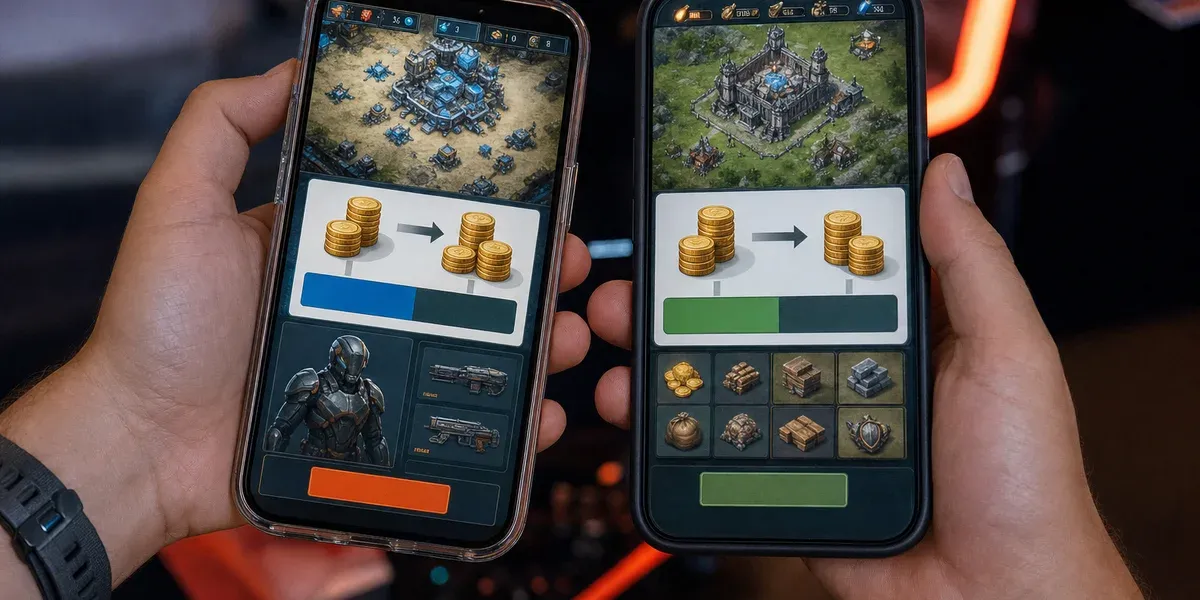
Direct answer — Aptoide vs Samsung Galaxy Store: which should a game publisher ship on first? For most Android games, Samsung Galaxy Store comes first: Samsung keeps 20% of net sales proceeds on paid games and in-app items (15% on subscriptions), charges no sign-up or annual fee, and puts your game in the store that sits on Samsung’s own phones. Aptoide is the stronger second channel for independent and direct-to-consumer-minded publishers: on Android you keep 75% of net sales on installs from Aptoide and its partner stores, up to 93% when players spend Aptoide’s purchase bonus, and 90% on players you send yourself. The two do not compete for the same player, so the real question in Aptoide vs Samsung Galaxy Store is sequencing, not exclusivity.
Most pages comparing the two are written for people downloading apps: is Aptoide safe, is Galaxy Store better than Play. A publisher has different questions — what each store keeps, who it reaches, what it takes to get live, and what it costs to keep a game current on both. That is what this guide answers, from Samsung’s and Aptoide’s own developer documentation. It is a narrower decision than our three-way Galaxy Store vs GetApps vs AppGallery comparison: one OEM store against one independent store, two very different ways of reaching Android players outside Google Play.
How do the revenue shares compare?
On headline rates the two stores are close; the difference is in how Aptoide’s share moves with where the player came from. Samsung charges one rate per product type. Aptoide charges by acquisition source.
| Samsung Galaxy Store | Aptoide (Android) | |
|---|---|---|
| Paid games and in-app items | Developer keeps 80% of net sales proceeds | Developer keeps 75% of net sales on installs from Aptoide or a partner store |
| Subscriptions | Developer keeps 85% | Same source-based rules |
| Player-bonus effect | None | Bonus spending adds 10 to 18 percentage points, up to 93% |
| Players you bring yourself | Same rate | Developer keeps 90% on D2C downloads (website, landing page) |
| Custom terms | Existing custom agreements keep their terms | No threshold or programme to apply for |
Samsung. Since May 15, 2025, Samsung’s revenue share announcement gives developers 80% of net sales proceeds on paid apps, games and consumable or non-consumable in-app items, up from the previous 70/30 split, and 85% on subscriptions. “Net” is “subject to the deduction of customary sales tax and other fees.” Publishers who already had a custom agreement kept it: “If you have a custom agreement with Samsung, you will not be impacted by this change.”
Aptoide. Aptoide’s revenue share documentation starts lower and climbs. On an install from Aptoide or one of its 10+ partner stores you keep 75% of net sales, a rate that “doesn’t change after your first year or as your revenue grows.” Aptoide gives players a bonus on purchases; when they spend it in your game you keep 75% of that too, which Aptoide says “typically adds 10 to 18 percentage points to your share of net sales”, up to 93% in total. Payment fees come out of Aptoide’s share. On players who downloaded the game from your own website or Aptoide’s direct-to-consumer landing page, you keep 90% and Aptoide keeps 10%.
Read those two models correctly. The Aptoide ceiling depends on player behaviour you do not control, so model the 75% base as your case and the bonus as upside. Samsung’s 80% is fixed and simple. Both sit against a Google Play rate card that changed in 2026 — check Play’s current fee tiers for your revenue band before assuming either store saves you money on commission alone. For most studios, neither store is a commission play; both are reach plays with a decent margin attached. Mapping both rate cards against your revenue mix, store by store and country by country, is part of what our distribution team does with publishers.
Who does each store actually reach?
Galaxy Store reaches Samsung owners through a store already on their phone; Aptoide reaches players who chose an independent store, plus its partner network. That difference matters more than any percentage.
Galaxy Store is an OEM channel. Its audience is defined by Samsung’s device footprint, so its value to you tracks how strong Samsung is in your markets — something to check against your own device analytics rather than assume. It is also now inside Google’s compliance perimeter: since September 30, 2026, Android’s developer verification checks installs from Galaxy Store and six other named stores for users in Brazil, Indonesia, Singapore and Thailand. Our verification checklist covers what that means for a Galaxy Store listing.
Aptoide is a different animal. Its FAQ describes a network through which “developers can reach more than 50 million monthly active users worldwide.” Independent coverage puts the store itself lower: PocketGamer.biz’s report on Aptoide’s return to Google Play says Aptoide has “around 25 million monthly active users” and that “The US is its largest market.” Treat both as Aptoide’s own scale claims, measured differently — network versus store — and size your test on neither. Two facts change Aptoide’s reach story in 2026:
- Aptoide Games is on Google Play in the US. PocketGamer.biz reported in 2026 that “Aptoide Games has returned to Google Play in the US after more than a decade”, through Google’s Play Catalogue Access programme. For a publisher, that turns a sideloaded store into one a US player can install from Play.
- Aptoide’s iOS store covers Brazil. Aptoide’s FAQ says its iOS store is available “exclusively on iPhone devices within the European Union, Japan, and Brazil”, where you keep 80% of net sales. That is a Latin American iOS route Galaxy Store cannot offer; we covered the iOS model in our Aptoide iOS guide.
We found no Aptoide-published user figure for Latin America, so we do not give one. If your thesis for Aptoide is LATAM reach on Android, test it with a regional cohort before you budget for it — and read it against the wider channel stack in our LATAM distribution playbook.
Which store is easier to get live on?
Aptoide is faster to start; Galaxy Store takes longer to unlock paid sales but asks less of your build.
Galaxy Store onboarding. The Galaxy Store FAQ states there is “no sign-up nor annual fee to publish in Galaxy Store.” Selling paid content requires commercial seller status, which needs a D‑U‑N‑S number and an international bank account; Samsung says “It can take up to 10 business days to verify your D‑U‑N‑S number” and the same for the bank account. On the build side, Samsung requires a target API level of 33 or higher and at least one 64-bit binary. For in-app payments, Samsung “recommends” its own In-App Purchase SDK, and adds that it “has always supported third-party payment systems.” Your Play build is usually close to Galaxy-ready; the paperwork is the long pole.
Aptoide onboarding. Through Aptoide Connect you upload signed APK or OBB files; Aptoide’s submission guide says billing integration is “Required only for in-app purchases” and that “All submissions are manually reviewed by our admin team.” Once approved, the game “is automatically launched on Aptoide and across our partner app stores.” If your game is also on Google Play with Play App Signing, Aptoide asks you to sign the APK via the Play Console so Play Protect recognises it across stores — a small step that is easy to get wrong.
What does it cost to keep a game live on both?
The ongoing cost is two billing integrations, two release pipelines and one shared compliance layer. The billing is where the work sits.
- Two payment rails. Monetising on both usually means Samsung’s IAP SDK on the Galaxy build and Aptoide’s billing SDK on the Aptoide build, each with its own product catalogue, receipt validation and refund handling. A single build with a store-switching billing layer is worth the up-front effort if you expect to add more stores.
- Two release cadences. Each update goes through Samsung’s seller portal and Aptoide’s manual review on its own timing. Live-ops games need a release owner who tracks both, or players on one store fall behind.
- One identity, everywhere. Google says verification “will soon be expanded to all third-party Android app stores” and goes global in 2027. Register your package names and signing keys once, consistently across Play, Galaxy Store and Aptoide, or an install path will break when enforcement widens.
- Watch the Registered App Stores flow. Google’s new one-tap install programme for third-party stores mainly helps stores users download themselves, such as Aptoide on Android. Ask Aptoide whether and when it registers; the answer changes your install conversion.
None of this is exotic, but it compounds. It is exactly the store operations — build adaptation, submission, billing setup, release coordination and update management — that a distribution partner can run for publishers on several stores at once.
When should you pick one, the other, or both?
Pick by audience fit first, then by how much channel operations your team can carry.
- Galaxy Store first if your game is a global Android title with real Samsung share in your top markets, your Play build is recent, and you want a store with editorial surfaces such as Samsung-written editorials in the Discover tab — which the FAQ notes are “available to Galaxy Store users in the U.S. and South Korea only” — and pre-registration for upcoming games.
- Aptoide first if you run your own web traffic or community (the 90% D2C rate rewards it), you want one submission to reach a network of partner stores, or you need iOS reach in Brazil, Japan or the EU alongside Android.
- Both if you can staff two billing integrations and two release tracks. The audiences barely overlap, so the second store adds reach rather than splitting it.
- Neither yet if your game has no stable monetisation on Play: a new store multiplies your operating load before it multiplies revenue.
Then measure per store: install-to-payer conversion, ARPPU and early retention against your Play cohort. Give each store a full monetisation cycle before you decide which one earns more effort.
FAQ
Is Aptoide or Samsung Galaxy Store better for game publishers?
They serve different players. Galaxy Store reaches Samsung device owners at a fixed 80% developer share on paid games and in-app items, and is usually the easier first store for a global Android title. Aptoide pays 75% on installs from its network, more when players spend its purchase bonus, and 90% on players you bring yourself, which suits publishers with their own traffic.
What revenue share does Samsung Galaxy Store take on games?
Since May 15, 2025, Samsung keeps 20% of net sales proceeds on paid games, apps and in-app items, and 15% on subscriptions. Developers with a custom agreement with Samsung keep their existing terms. There is no sign-up or annual fee.
How much does Aptoide take on Android games?
On installs from Aptoide or a partner store, the developer keeps 75% of net sales, plus 75% of player-bonus spending, which Aptoide says typically adds 10 to 18 percentage points, up to 93%. On direct-to-consumer downloads from the developer’s own site, the developer keeps 90%.
Do I need Samsung’s in-app purchase SDK to sell on Galaxy Store?
Samsung recommends its In-App Purchase SDK for in-app transactions but says it “has always supported third-party payment systems.” Plan the billing choice per store: each store you monetise on usually means its own payment integration.
Does Android developer verification apply to Aptoide and Galaxy Store?
Galaxy Store is among the seven stores whose installs Google has checked since September 30, 2026, for users in Brazil, Indonesia, Singapore and Thailand. Aptoide is not on that list yet, but Google says verification will expand to all third-party Android app stores and go global in 2027, so register your package names before then.
If you want Galaxy Store and Aptoide live in the same release cycle, without running two billing integrations and two review queues yourself, talk to our distribution team. Early-stage studios can start with the Founding Developer Program.